
لقطات الشاشة
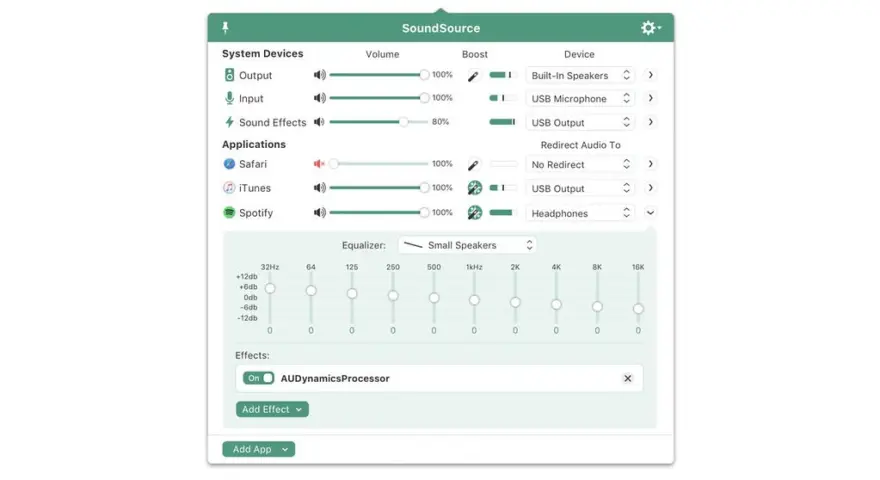
عن التطبيق
SounceSource lets you adjust your input, output, and sound-effects devices and volume settings in mere moments, right from the menu bar. Enable soft play-thru of input devices to your desired output, so you can hear sound coming in through any microphone or other source. With SoundSource, you get fast access to your Mac’s most important audio settings.
Instant Audio-Device Switching – With just two clicks, you can switch the audio devices your Mac is using for input, output, and even sound effects.
Fast Volume Control – SoundSource provides easy access to the volume controls for your audio devices as well.
Audio Play-Thru, Too – SoundSource’s Play-Thru window makes it easy to monitor the audio coming from any input device.
Comprehensive – SoundSource gives you one place to go for all Mac’s most important audio controls.
At Your Fingertips – With SoundSource running in your menu bar, your audio controls are always available.
Lightweight – When you don’t need SoundSource, it stays out of your way.
ما الجديد
New “Control Center” Special Source
On MacOS 27 (Golden Gate) and higher, the new “Control Center” special source captures audio the Mac receives via AirPlay, as well as volume adjustment blips. This replaces the former “AirPlay Receiver” special source due to changes in Golden Gate. More details on special sources can be found in this support article.
The ARK plugin which powers SoundSource’s audio handling has been updated to version 13.5.5, bringing substantial reductions in latency, among other improvements.
AirPlay reliability has been improved on MacOS 27 (Golden Gate), fixing failed and delayed connections.
SoundSource no longer displays phantom AirPlay devices, which could previously appear with certain device groupings. Of particular note, this fixes an issue introduced by tvOS 27, allowing SoundSource to once again correctly identify the names of Apple TVs paired with HomePods or HomePods Mini, rather than identifying them as “Home Theater”.
Bluetooth battery levels now correctly display for devices connected after launch.
SoundSource now better handles corrupt data files, which could previously result in some devices not appearing as expected in device pickers.
Support for IK Multimedia Audio Units has been improved, fixing an issue where these effects would stop responding to mouse events in menus.
Generic Audio Unit views now refresh correctly when their parameters list changes.
Duplicate capture of an application’s helper processes has been corrected. In rare cases, such as with Microsoft Teams, this could previously result in an inability to mute or otherwise control the parent application.
Reverb tails no longer carry over between application audio stopping and restarting.
Audio Units on MacOS 27 (Golden Gate) will no longer crash when presenting menus. A crash which could occur when scanning for Audio Units at launch has also been fixed.
Mouse drags above the menu bar status item no longer result in SoundSource flickering open and closed.
The “Max Volume” slider in the “Devices” window once again correctly updates while dragging. As well, restarting SoundSource is no longer required for volume changes to take effect.
Navigating the symbol picker with the keyboard now nicely scrolls, as you should expect.
A system popup which could appear when first focusing on a text field appears no longer.
Clicks on menu items when SoundSource is not the key window are no longer missed.
The ARK plugin which powers SoundSource’s audio handling has been updated to version 13.5.4, fixing a crash that could occur with Bluetooth devices not honoring requested buffer sizes on MacOS 27 (Golden Gate).
SoundSource will now work as expected with Bluetooth output devices on MacOS 27 (Golden Gate), fixing performance issues caused by a recurrant crash of the underlying ARK plugin.
The “System Input” menu bar icon will no longer falsely show a devices as muted if that device in fact cannot be muted (due to lacking a hardware mute feature).
SoundSource now always uses software mute when “Force software volume control” is enabled on a device, rather than activating hardware mute if it exists.
Audio Unit interfaces now avoid visual clipping when they grow during a resize.
Menu bar icons now correctly display in sync across multiple displays.
New
Preliminary Support for MacOS 27 (Golden Gate) Betas. SoundSource no longer warns on launch when run on MacOS 27 (Golden Gate). There are no known issues on Golden Gate at present.
Do note that Apple’s betas remain in flux. We always encourage users to stick with official (non-beta) OS releases for the best experience.
Several AirPlay Enhancements. Several improvements have been made to SoundSource’s AirPlay streaming.
SoundSource now reliably auto-connects to AirPlay devices when sending audio to them.
Output Groups and AirPlay devices now correctly re-establish themselves after a restart of coreaudiod.
Synchronization between AirPlay devices has been tightened, correcting audible drift that could occur when streaming to multiple outputs for extended periods of time.
A “UID already exists” error which could occur when connecting to AirPlay devices has been corrected.
The last-used volume for AirPlay devices is now restored upon connecting.
Processing of silence has been greatly optimized, so average CPU usage is greatly reduced.
SoundSource’s Shortcuts will once again be shown within Apple’s “Shortcuts” app, without requiring a system restart to appear. This fixes a regression introduced in SoundSource 6.1.0.
SoundSource now works correctly with the Mixed In Key “SE” Audio Unit plugin.
Multiple sources will no longer appear in SoundSource for the same process. This avoids issues where audio could be doubled.
When previewing media with Quick Look in the Finder, audio is no longer incorrectly doubled (and thus un-mutable).
Improvements have been made to avoid audio from Loopback virtual devices being muted for as long as 10 seconds after the device is no longer being captured by another application.
A rare crash that could bring down SoundSource while it was running in the background has been fixed.
Interface elements which could appear blurry on non-retina displays should now be crisp.
Effect popovers now retain their position when opened via the “Open/Close Effect Window” shortcut.
Fresh instances of Audio Unit effects are once again displayed at their initial default size. This fixes a regression introduced in SoundSource 6.1.1.
SoundSource will no longer incorrectly appear over the menu bar when “Automatically hide and show the menu bar” is enabled in System Settings.
The “Local Network Accession” permission will no longer incorrectly cycle between enabled and denied.
SoundSource’s icon has been updated to support the system-wide Dark icon style on MacOS 26 and higher.
رمز شريط قائمة التكوين السريع الاختياري - قم بالوصول إلى التكوينات السريعة مباشرة من شريط القائمة، عن طريق التبديل إلى "إظهار التكوينات السريعة في شريط القائمة" في ورقة "إدارة التكوينات السريعة".
تحديث نقاط الحجم في شريط القائمة - تم تحديث مؤشر مستوى الصوت في شريط قوائم التطبيق من نقاط مربكة في بعض الأحيان إلى أشرطة جميلة من الناحية الجمالية.
تحسينات البلوتوث
تم إجراء العديد من التحسينات لأجهزة Bluetooth.
تم إجراء تغييرات متعددة لتقليل مواطن الخلل والتسرب.
تم تحديث أيقونات الجهاز للعديد من أجهزة Apple وBeats، بما في ذلك AirPods 4 (مع ANC) وBeats Pill.
لم يعد يتم تطبيق تصحيح الانحراف غير الضروري على أجهزة Bluetooth، مما يؤدي إلى تقليل الأخطاء.
يعرض SoundSource الآن فقط أجهزة Bluetooth المتصلة بالفعل، أو المتاحة للاتصال بها، بدلاً من جميع الأجهزة المقترنة.
تحسينات وحدة الصوت
تم إجراء تحسينات على تأثيرات وحدة الصوت:
عند تثبيت وحدة صوت جديدة، سيتعرف SoundSource الآن عليها على الفور، دون الحاجة إلى إعادة تشغيل التطبيق.
تم تحسين دعم الإصدار 3 من وحدات الصوت.
أصبح الآن تحميل عرض عام لوحدات الصوت التي تحتوي على العديد من المعلمات أسرع بكثير.
تم تحسين التوافق مع وحدات الصوت مثل "Slate VSX" و"Sound ID".
تمت إضافة مزامنة إيقاع المضيف لوحدات الصوت التي تتطلب ذلك للتشغيل، مثل "Panflow" الخاص بـ Audiomodern.
المتطلبات
- Intel, معالج 64-بت
- macOS 15.0 أو أحدث
روابط التحميل
ملحقات موصى بها
روابط تابعة لـ AliExpress — قد نحصل على عمولة عند الشراء عبرها، دون أي تكلفة إضافية عليك.
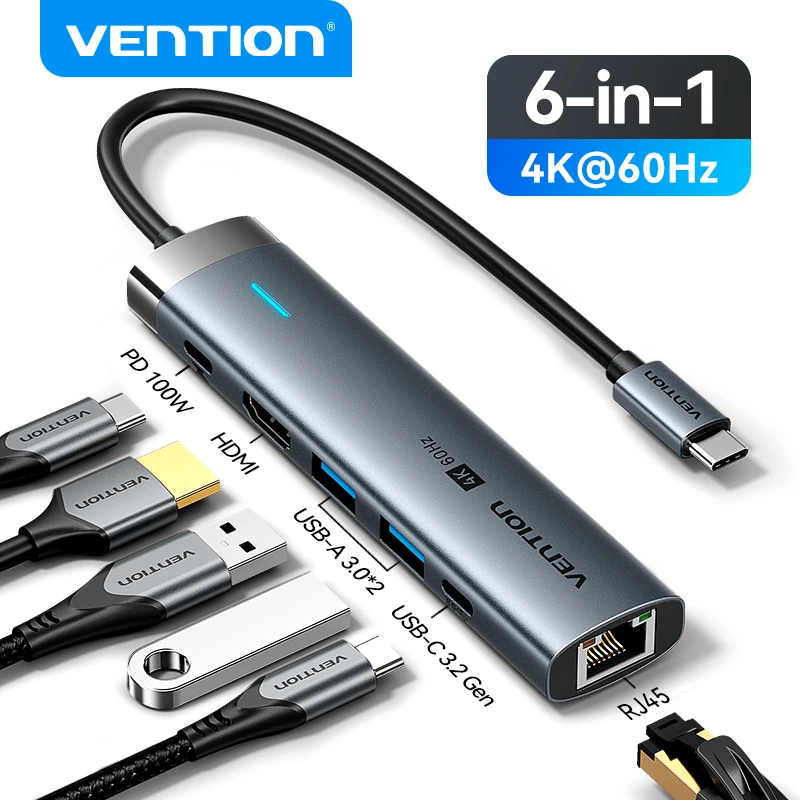 Vention USB C HUB Type C to HDMI 4K60Hz RJ45…
23.90 USD
Vention USB C HUB Type C to HDMI 4K60Hz RJ45…
23.90 USD
 Protective Hard Case for 2024 Mac Mini M4 and Accesserios…
38.98 USD
Protective Hard Case for 2024 Mac Mini M4 and Accesserios…
38.98 USD
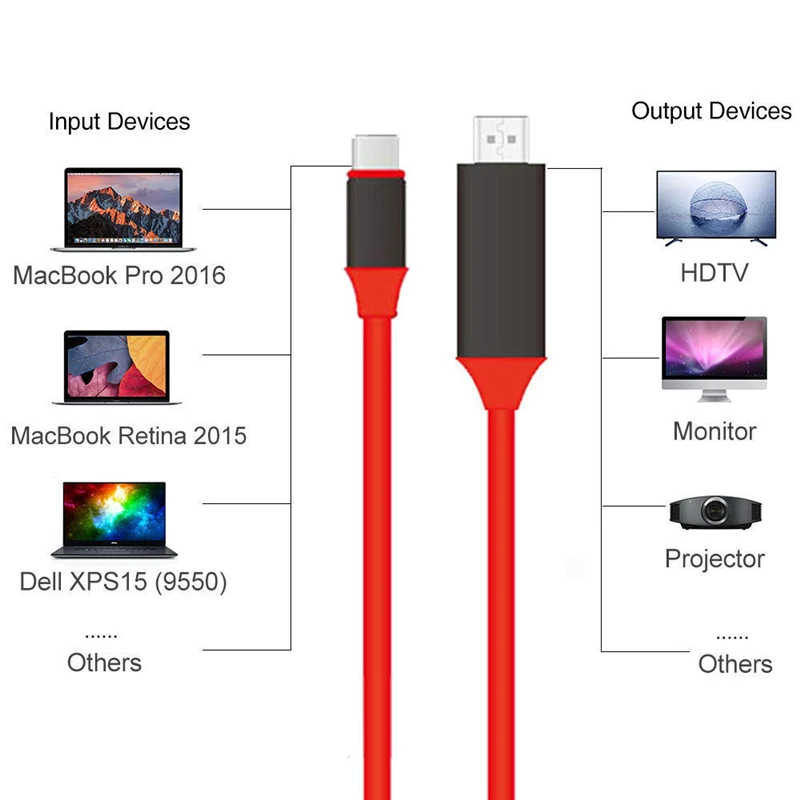 4Kx2K High-definition Type-C to HDMI-compatible Cable USB 3.1 USB-C to…
3.42 USD
4Kx2K High-definition Type-C to HDMI-compatible Cable USB 3.1 USB-C to…
3.42 USD
 UGREEN 10Gbps USB C HUB 4K60Hz Type-C to HDMI RJ45…
26.39 USD
UGREEN 10Gbps USB C HUB 4K60Hz Type-C to HDMI RJ45…
26.39 USD
 Essager HDMI To USB Type C Adapter for iPhone MacBook…
11.27 USD
Essager HDMI To USB Type C Adapter for iPhone MacBook…
11.27 USD
 Laptop Stand Aluminum Alloy Mini Folding Holder 3 Height Adjustment…
7.66 USD
Laptop Stand Aluminum Alloy Mini Folding Holder 3 Height Adjustment…
7.66 USD